
New Student Orientation
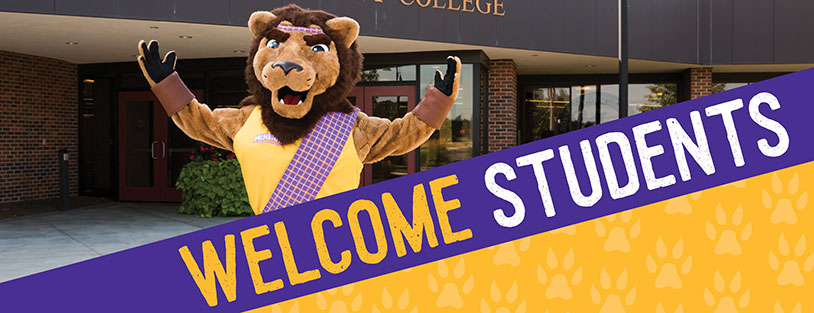
We're excited to meet and welcome you as a member of the MCC Scots Family!
New Student Orientation (NSO) is:
- one of the first steps in beginning your academic journey at MCC.
- an important program designed to support your success at MCC!
When Will You Attend MCC?
Join us for our two-part orientation experience to ensure you're comfortable and prepared before the Fall semester begins.
Part I: Online Orientation
Part I of our experience provides an in-depth overview of the College’s services, resources, support systems, and other opportunities. This should take approximately 30 minutes; however, you can stop and restart the orientation session anytime.
Part I: Online NSO requires your MCC username and password to be completed. You'll receive your login information within 72 hours of submitting your application.
Guest Access does not require login information but does not complete the Online NSO requirement. Contact the New Student Orientation team if you’ve completed the Online Guest Orientation.
Start Part I: Online New Student Orientation »
Part II: In-Person Orientation and Course Registration
After completing Part I, complete the in-person Part II session.
Part II: In-Person New Student Orientation is not required for part-time students (11 credits or less), students who are 21 years of age or older, students who have completed 24 college credits at MCC or at another college or university, or fully online students. Contact the New Student Orientation team for your next steps.
At In-Person Orientation, you'll:
- Register for classes with Academic Advisors and MCC Staff
- Get an MCC Student ID
- Meet MCC Faculty
- Learn about services, resources, and support programs
- Enjoy some food and games and, of course, win prizes and other giveaways!
Fall 2025 New Student Orientation Dates:
- Wednesday, May 21, 2025
- Wednesday, June 4, 2025
- Wednesday, June 25, 2025
- Thursday, July 10, 2025
- Thursday, July 24, 2025
- Tuesday, August 5, 2025
To register for Part II: In-Person Orientation and Course Registration, you must complete the Online Orientation while logged in as a student using your MCC credentials. Guest access does not provide registration links. If you completed the orientation as a guest, contact the New Student Orientation team or (815) 479-7712 for alternative registration options.
See Fall 2025 courses to start planning!
We look forward to helping you prepare for your first semester at MCC!
Contact the New Student Orientation team with questions.
Join us for our two-part orientation experience to ensure you are comfortable and prepared before the Spring semester begins.
Part I: Online Orientation
Part I of our experience provides an in-depth overview of the College’s services, resources, support systems, and other opportunities. This should take approximately 30 minutes; however, you can stop and restart the orientation session.
Part I: Online NSO requires your MCC username and password to be completed. You'll receive your login information within 72 hours of submitting your application.
Guest Access does not require login information but does not complete the Online NSO requirement. Contact the New Student Orientation team if you’ve completed the Online Guest Orientation.
Start Part I: Online New Student Orientation »Part II: In-Person New Student Orientation and Course Registration
After completing Part I, complete the in-person Part II session. You'll find the link to sign up for Part II: In-Person Orientation on the last page of Part I.
Part II: In-Person New Student Orientation is not required for part-time students (11 credits or less), students who are 21 years of age or older, students who have completed 24 college credits at MCC or at another college or university, or fully online students. Contact the New Student Orientation team for your next steps.
Spring 2026 In-Person New Student Orientation dates to be announced.
At In-Person Orientation, you will:
- Register for classes with Academic Advisors and MCC Staff
- Get an MCC Student ID
- Meet MCC Faculty
- Learn about services, resources, and support programs
- Enjoy some food and great giveaways!
To register for Part II: In-Person Orientation and Course Registration, you must complete the Online New Student Orientation using your MCC-issued credentials to access the Student login option. If you've already finished it, log back in to access the registration link on the final page. If you completed the online orientation previously using the Guest login option, contact the New Student Orientation team for further assistance.
We look forward to helping you prepare for your first semester at MCC! Contact the New Student Orientation team with questions.
Thank you for your interest in starting at MCC in the Summer semester!
New summer students who intend to continue into the Fall semester should complete the two-part orientation experience. Keep an eye on your MCC-issued email address for more information in March.
If you're a summer-only student, see the steps to become a Summer-Only Student.
Contact the New Student Orientation team with questions.